How I built an external panel for manual trading in the MetaTrader 5 Strategy Tester
BackTestPanel started from a very specific limitation in my MetaTrader 5 workflow: in test mode, I wanted to execute manual trades, but the Strategy Tester does not provide the kind of native manual buy and sell workflow I needed, and it does not make real-time interaction inside the test environment easy.
What I wanted was actually simple. While a test was running, I wanted to buy, sell, close a specific position, or close everything from a panel built for that purpose. That was the starting point for building a separate desktop panel that runs outside MetaTrader 5 while still talking to the testing environment.
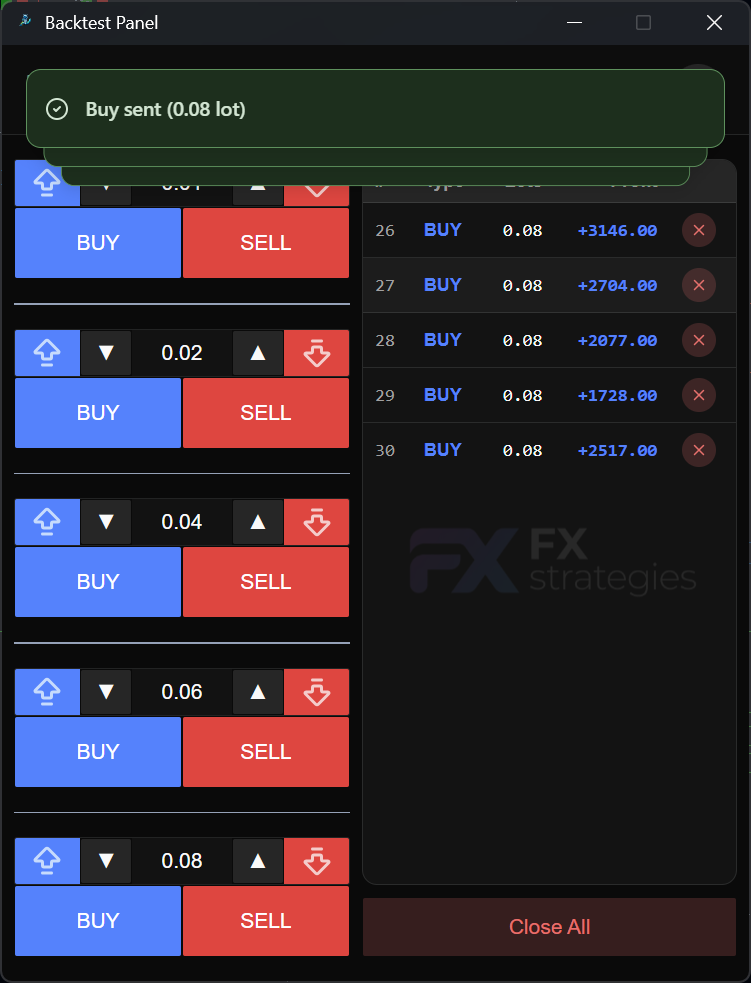
Why I built it
This project was much more of a real tool for my own workflow than a product idea.
When I am validating indicator behavior, entries, and exits, I do not always want to jump straight into full automation. In many cases, it makes more sense to test ideas manually, react to what the chart is doing, compare scenarios, and observe how the strategy behaves.
The problem is that the MetaTrader 5 Strategy Tester places real limits on that kind of interaction. The official MQL5 documentation states that, even in visual mode, interactive chart, mouse, and keyboard events are not generated for OnChartEvent, and native MQL5 networking features such as WebRequest() and sockets do not run inside the tester. So the solution had to be designed around those constraints from the beginning.
How the solution works
BackTestPanel is split into two parts.
The first part is the Windows desktop application, built with Python and pywebview, with React on the frontend. It opens a local TCP server on 127.0.0.1:47001, displays the current state of open positions, and sends trading commands.
The second part is BridgeTcpClient, an Expert Advisor written in MQL5 that runs inside the Strategy Tester. It connects to the local server, sends snapshots of open positions, and receives text commands to execute actions such as buy, sell, close_position, and close_all.
That split solved the exact problem I had: MetaTrader 5 keeps running the simulation, but the interaction layer lives outside of it, in a panel that feels much more flexible and comfortable for manual trading during testing.
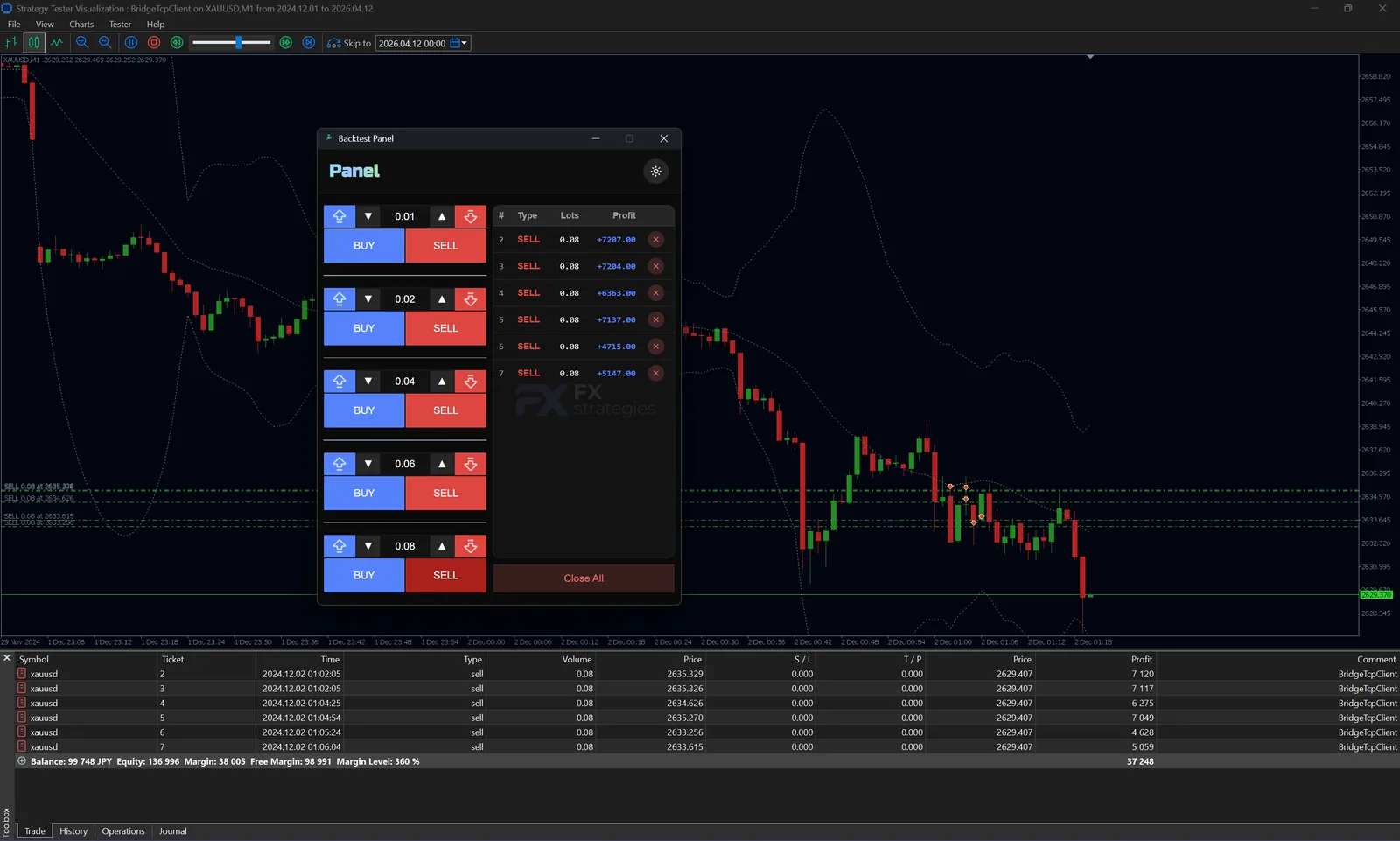
What the panel includes today
On the interface side, I wanted to keep things very direct.
The panel includes trade blocks with lot presets, buy and sell buttons, a table of open positions, individual position closing, and a close-all action. I also added light and dark theme support because tools like this tend to stay open for long sessions, and visual comfort matters.
On the frontend, the app uses React with TypeScript and TanStack Query. Communication with the desktop backend goes through the pywebview API bridge. Positions are refreshed frequently so the UI reflects the current tester state quickly, and successful commands invalidate the list right away.
I like this combination because it keeps the feel of a desktop tool without giving up the speed and flexibility of a modern web interface.
The most delicate part of the implementation
The trickiest part of the project is the bridge with the Strategy Tester itself.
Since native MQL5 networking is restricted in that context, the bridge relies on ws2_32.dll, the Windows Winsock library, through TCPClient.mqh. That is what makes it possible to create a socket, connect, and exchange data with the external panel.
Because of that, the test must run with Allow DLL imports enabled. There is another important detail too: this architecture is meant for local tester agents. Remote agents block DLL calls for security reasons. I wanted the README and the article to make that clear because this is a real architectural limitation, not just a small setup checkbox.
What I learned building it
This project reinforced something I keep seeing in trading tools: many times the hard part is not the entry rule or the exit rule, but the environment around it.
When a platform imposes restrictions, the solution stops being just about “build a nice UI” or “send a buy command.” It becomes a problem of integration, communication protocol, application lifecycle, interface feedback, and even operating system boundaries.
It was also an interesting project because it mixed technologies that usually live in different worlds: Python for desktop orchestration, React for the UI, MQL5 for execution inside the tester, and local TCP as the glue between all the pieces.
Why this project mattered to me
BackTestPanel solved a very practical need for me: testing manual operations in simulation mode with a workflow that feels less rigid and more controlled.
More than that, it pushed me to think about tooling around MetaTrader 5 instead of forcing everything into the terminal interface itself. In some cases, building around the platform is simply more effective than fighting against its limits from inside.
Project code
The project is available on GitHub: